Week 4: February 20-26
Welcome to Week 4 of the #GoalsProject!
Classroom objectives for this week:
- Reflect on Week 1-3 learning and experiences and register for upcoming events
- Hear from Ananya, Namya, and Ayush, our #GoalsProject Student Ambassadors
- Create pathways for action
Objective 1: Reflect on Week 1-3 learning and experiences
- Review all the 17 SDGs and remind students of your own class Global Goal.
- Check in on the Flip topic sharing (still time to jump in)
Objective 2: Hear from Ananya, Namya, and Ayush, our #GoalsProject Student Ambassadors
Video: https://www.youtube.com/watch?v=yC0GKSB-mhQ
Objective 3: Create pathways: Students as Goalkeepers
This week, our work is all about finding lines of connection. Activities this week are designed to help students see how their work and actions connect to the planet and its people. Here are several ways to help students make these connections:
Idea #1: Meet with a Goals Project classroom through virtual exchange
Engage in a shared online experience with another Goals Project classroom from your group. Find a time to meet synchronously, share about your class project and learn about the other class’ project. Request feedback to ensure your project is designed for a global audience. How does their perspective differ from yours? How might your project be expanded or narrowed to support others to take action? Be sure to send a follow-up message of appreciation thanking your new friends for meeting after your virtual exchange has concluded.
Need guidance in creating a connection? Be sure to send your group facilitator a message requesting support.
Idea #2: Create a class list: 10 ways to transform education in 2023
The Global Goal for the world for 2023 is SDG4: Quality Education. Create a list of ideas on how your students would like to transform education:
- Discuss the common and personal meanings of the word "transform"
- Consider the possibilities in transforming education in 2023 and beyond
- Create a list titled “10 Way to Transform Education in 2023” connecting your project and Global Goal to quality education for all
- Publish and share your list with others
|
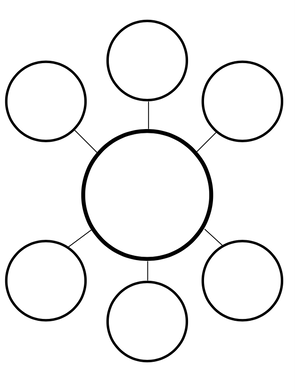
Idea #3: Diagram the connections of your project and Global Goal to transforming education
Create a graphic idea organizer with your students (radial diagrams as shown here may work well). Add your SDG and project title to the center. Add in ways your project connects to education. Classrooms with older students may want to add in other lines of connection for more direct connections and other layers for indirect connections. Be sure to share your idea map on social media using the hashtag #GoalsProject. Coming up next:
|
|